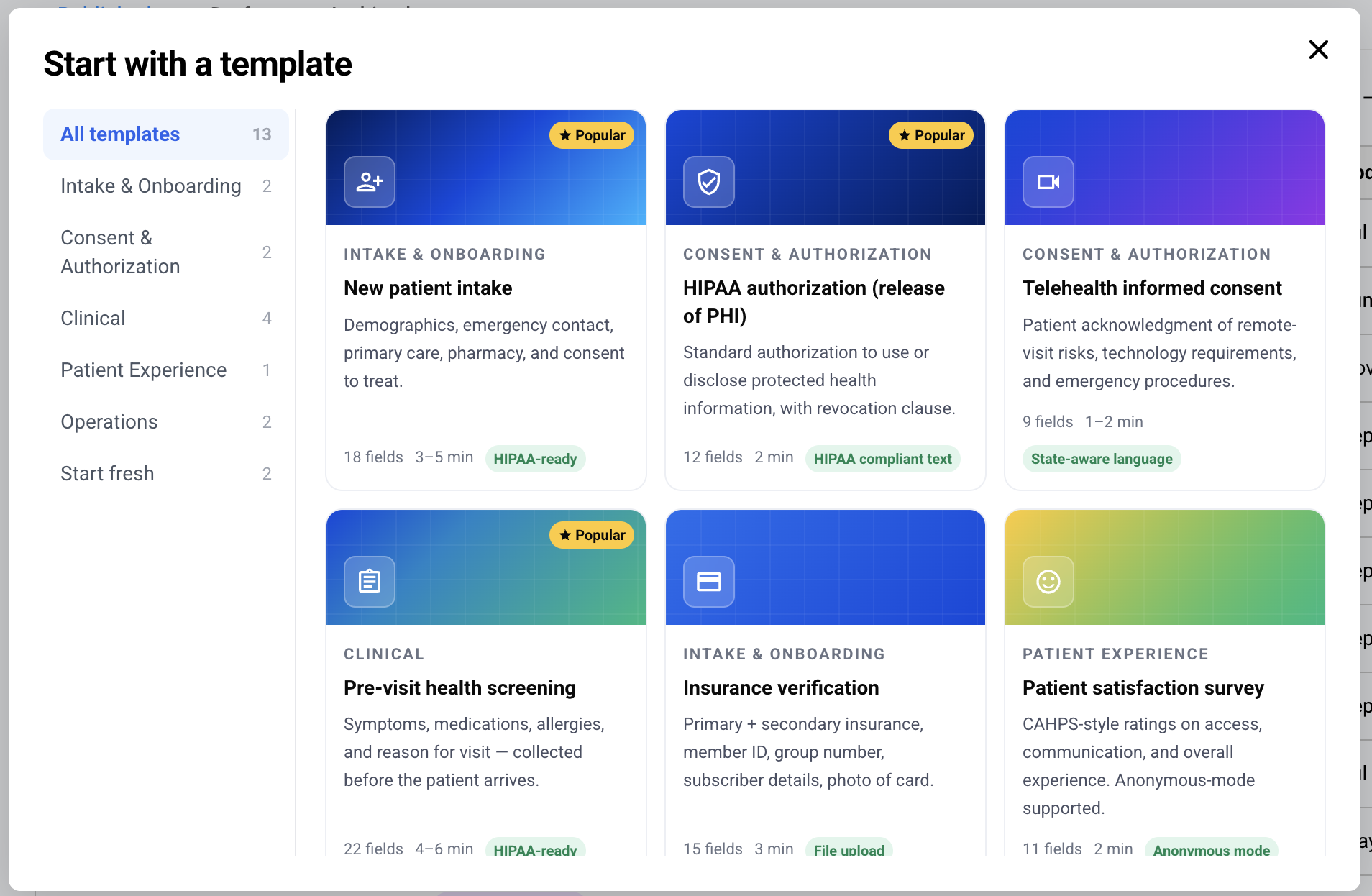
Paubox Forms includes a library of templates, so you can build a HIPAA compliant form in minutes instead of starting from a blank page. Each template comes pre-populated with the fields most healthcare teams need for a given use case.
Start a form from a template
-
Navigate to Paubox Forms in the left-hand navigation of the Paubox dashboard
-
Click the Create Form button
-
In the Start with a template window, browse by category on the left or select All templates
-
Click a template to open it in the form builder
-
Edit the fields, labels, design, and settings to fit your workflow
-
Save the form as a draft, or click Publish when you are ready
Template categories
Templates are grouped by use case:
-
Intake & onboarding: New patient intake, insurance verification
-
Consent & authorization: HIPAA authorization (release of PHI), telehealth informed consent
-
Clinical: Pre-visit health screening, prescription refill, referral, COVID/flu screening
-
Patient experience: Patient satisfaction survey
-
Operations: Incident report, BAA acknowledgement
Each template shows its field count and an estimated completion time so you can pick the right starting point.
Build without a template
To start from scratch, select Start fresh in the Start with a template window. Choose to build with a blank form or a blank marketing form.
Once you open a template, you can customize it the same way you would any Paubox Form: add or remove questions, adjust question settings, change design elements, and manage recipients. See Paubox Forms (create your own form) for full details on the form builder.